


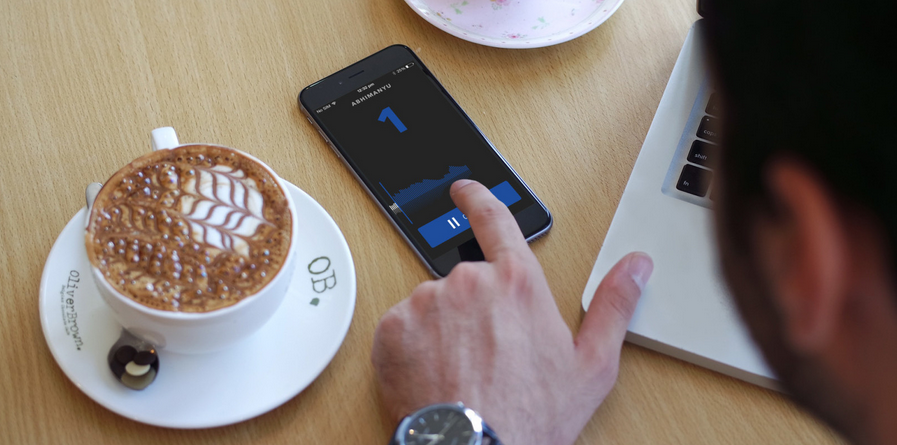
الهواتف الذكية عظيمة جدا في عملية إلتقاط وتسجيل الأصوات سواء في المحاضرات أو المقابلات بأنواعها، ولكن الصعب عملية تحويل هذه الملفات الصوتية والتي تكون عادة طويلة إلى معلومات مفيدة فهذا دائما غير سهل، تطبيق Pio الجديد على نظام الآي أو أس، يوفر لك السهولة في إستخراج المعلومات المفيدة من التسجيل الملتقط، مما يسهل على المستخدم معرفة النقاط الهامة في الملف الصوتي المسجل.
حيث يتيح للمستخدم وضع علامة للحظة المهمة في المقطع وذلك أثناء التسجيل للرجوع إليه بسهولة، مما يجعله أداة رائعة للصحفيين بشكل خاص، Pio "Pio" سهل الإستخدام، فعند الإنتهاء من التسجيل يمكنك النقر على الشاشة في أي لحظة لتحديد بداية شريحة مهمة لك ومن ثم النقر مرة أخرى لتحديد نهايتها، مع إمكانية تسمية كل شريحة وإضافة ملاحظة عليها مما يمكنك من مراجعة كل جزء بعينه وجعل عملية النسخ أسهل.

وقبل أن تتم عملية التسجيل يتطلب منك التطبيق إضافة إسم الموضوع كذلك صورة أيضا العمر والجنس، وبالطبع يمكنك تخطي جميع هذه التفاصيل واستخدامها كيفما شاء، والميزة الأبرز في التطبيق إمكانية تصدير الملف الصوتي المسجل كاملا أو مقطع معين من الملف إلى الخدمات السحابية منها قوقل درايف أو دروب بوكس، والإستماع إليه عبر جهازك الحاسوب ومن اي مكان في العالم، ولكن لا يمكنك الإستفادة من هذا الخيار الأخير إلا عند تمكنيه بشرائه من داخل التطبيق بسعر 1 $.

وأخيرا يمكنك الآن الإستفادة من التطبيق عبر تحميله مجانا من على متجر الأب ستور بالإنتقال إلى هنا، وهو يدعم نظام التشغيل iOS 7.0 فما يليه من إصدارات ويأتي بحجم 12.7 ميغابايت.
--------------------------------
Smart phones are very great in the capture and record sounds process both in lectures or interviews of all kinds, but difficult to convert these audio files process and which are usually long to useful information, it always is easy, application of the new Pio on IP or as a system, provides you with easy to extract information Date of useful captured, making it easy for the user to know the important points recorded audio file.
Which allows the user to mark the moment the job in the section and that during the recording for reference easily, which is a great tool for journalists it especially, Pio "Pio" easy to use, when you are finished recording you can click on the screen at any moment to mark the beginning of an important segment you and then click again to select an end, with the possibility of naming each slice and add a note of it so you can review each particular part and make copies easier process.
Before being registration process requires you to add the application subject name as well as the image also age and sex, and, of course, you can skip all these details and use it however he wants, and feature the most prominent in the application the possibility of export recorded audio file full or a particular section of the file to cloud services such as Google Drive or paths Box, listen to it through your computer from anywhere in the world, but you can not take advantage of this last option, but a necessity when purchased from within the application at a price of $ 1.
Finally, you can now take advantage of the application via the free download of the apple Store click here, it supports iOS 7.0 operating system versions of what followed comes the size of 12.7 MB.
